Skip to the introduction
Gening AICharacter notebook · Independent guide
Gening AI guide · OurDream affiliate links.Find Someone Who Listens

How to plan a Gening AI character from a blank page

To plan a Gening AI character, separate identity, personality and the opening encounter. The public editor provides Description, Persona and First message fields, plus optional Scenario and Example Dialogue under Advanced Setting. Use those distinctions to organize your draft; field availability alone does not establish how reliably the AI will interpret it.

Start with a sentence you could explain to another writer: a fictional adult conservator wants help interpreting a damaged map before an exhibition opens. This contains an identity, a task and a reason for collaboration. It does not require an elaborate world or an assumed emotional bond.

  1. Put the role and relevant circumstances in the description, leaving incidental history for your private notes.
  2. Use the persona to specify priorities and manner, rather than retelling the same circumstances.
  3. Write a greeting that lets the participant make a meaningful first choice.
  4. Add optional context only where it resolves a real ambiguity in the draft.

Read the result aloud once. If every field repeats that the character is mysterious, replace repetition with an observable habit or an unanswered question. These steps are creative recommendations for fictional adult storytelling, not a report of tested conversations or verified character performance.

Gening AI sources: Official source

Shape a relationship premise without scripting both sides

A relationship premise can begin with cooperation rather than instant intimacy. Two invented adults might be colleagues preparing an exhibition, neighbors planning a garden or friendly rivals debating a local mystery. Decide what connects them now, then leave space for how their rapport develops.

The editor's Girlfriend and Boyfriend category labels should not carry the whole writing brief. Specify the tone you want in ordinary language: respectful disagreement, gentle humor or patient curiosity. Those are drafting choices, not verified switches for emotional realism, affection or compliance.

Give both sides room to refuse a suggestion. In our map example, the character can offer two approaches while welcoming another idea. Avoid an opening that declares the participant already trusts the character, feels attracted or has accepted a particular role in the story.

Use an optional dialogue sample to illustrate that openness: a question, a considered answer and a follow-up that invites clarification. Keep the sample short enough to inspect for contradictions. Do not assume the service will reproduce its tone or remember every detail indefinitely.

Before sharing, reread the visibility descriptions and remove personal information. A well-defined fictional premise can remain inviting without exposing real relationships or treating Private as a comprehensive privacy guarantee. Keeping a separate draft also lets you reconsider the premise without making a public commitment to it.
Gening AI sources: Official source
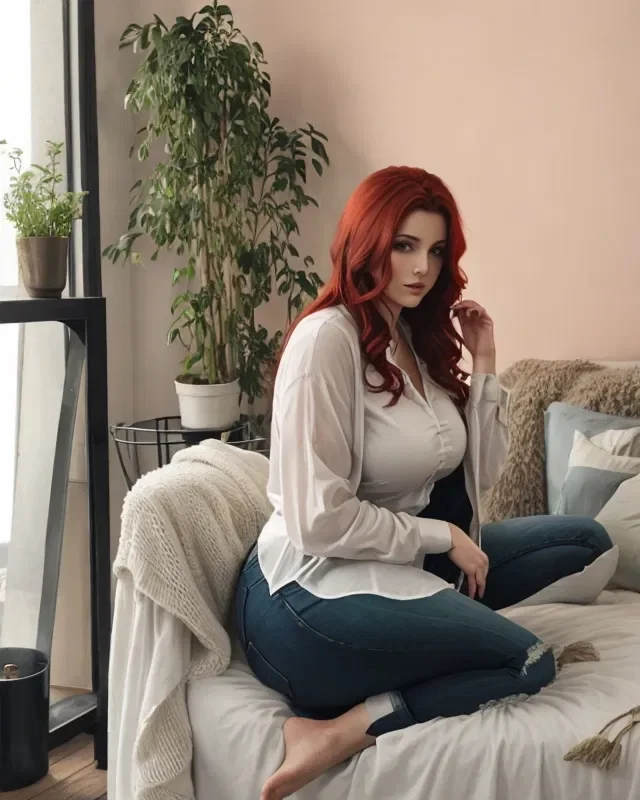
Marina with red hair, seated in a white blouse and jeans beside a window. Source: Gening AI.
Marina · SFW portrait · Gening AI portrait. Affiliate links lead to OurDream, a separate service.

Character creation / Field notes

Gening AI: character creation for readers in Singapore

For readers in Singapore: Build a character brief around personality, an opening moment and a shared purpose. Explore the public editor's fields before deciding what to share.

Gening AI guide · OurDream affiliate links.

Visual starting points

Gening AI character inspiration

Consider how a visual style could support an original personality and setting.

15 profiles

01 / CHARACTER BRIEF

Give your Gening AI character a workable brief

Gening AI sources: Official source

Gening AI's public editor separates Name, Description, Persona and First message. That structure gives you places to organize a character idea without treating every field as a biography. The suggestions below are writing advice, not evidence that the model follows each instruction reliably.

An editorial purpose for each visible field
Editor fieldSuggested jobDisplayed counter
NameA memorable identifier, not the whole premise.30 characters
DescriptionIdentity, occupation and the central situation.1,000 characters
PersonaPriorities, habits and conversational manner.500 characters
First messageAn immediate invitation to participate.1,000 characters

These are the counters shown beside empty fields, not tested server limits. Draft a compact version elsewhere first; you do not need to fill every available character to make the idea understandable.

02 / DESCRIPTION

Write a Gening AI description with a specific role

Gening AI sources: Official source

The Description field displays a 1,000-character counter. Use that space selectively: establish who the fictional adult is, what occupies their attention and why another person belongs in the scene. Avoid a long chronology that leaves no immediate reason to interact.

  • Define an original adult identity rather than borrowing a real person's private life.
  • Choose one concrete responsibility, such as restoring an observatory or organizing a community exhibition.
  • Include an unfinished task that another adult can help with, question or reinterpret.

For example, an invented 34-year-old museum conservator preparing a damaged map for display offers a role and a problem. This is a fictional writing example, not a verified Gening profile or a generated result.

03 / PERSONA

Make the Gening AI persona more than adjectives

Gening AI sources: Official source

Persona has its own field and a displayed 500-character counter. Instead of repeating the description, sketch behavior a reader could recognize. A character who is simply kind, clever and mysterious still needs a way of responding when someone disagrees.

  • Give the character a priority: accuracy matters more than impressing visitors.
  • Choose a speaking habit: explain unfamiliar terms through ordinary comparisons.
  • Add a manageable tension: patient with beginners, impatient with unsupported conclusions.

Our fictional conservator might admit uncertainty before proposing a theory. That detail suggests a voice without demanding constant agreement. It remains an editorial instruction you could draft, not a tested personality setting or a promise of consistent behavior across conversations.

04 / FIRST MESSAGE

Let the Gening AI first message open a scene

Gening AI sources: Official source

The editor provides a First message field with a 1,000-character counter. Its empty preview asks for the greetings column to be filled. We did not submit a greeting or start a conversation; the preview is not evidence of an AI response.

Try an opening that contains an object, a small uncertainty and an invitation: 'This map names a bridge that nobody remembers. Would you examine the faded inscription with me, or help trace its route?' This is an original SFW example for fictional adult collaborators.

Leave the participant's answer unwritten. An opening can establish the room and the character's immediate concern without deciding the other person's emotions, history or consent on their behalf.

05 / ADVANCED SETTINGS

Use Gening AI advanced settings for context and voice

Gening AI sources: Official source

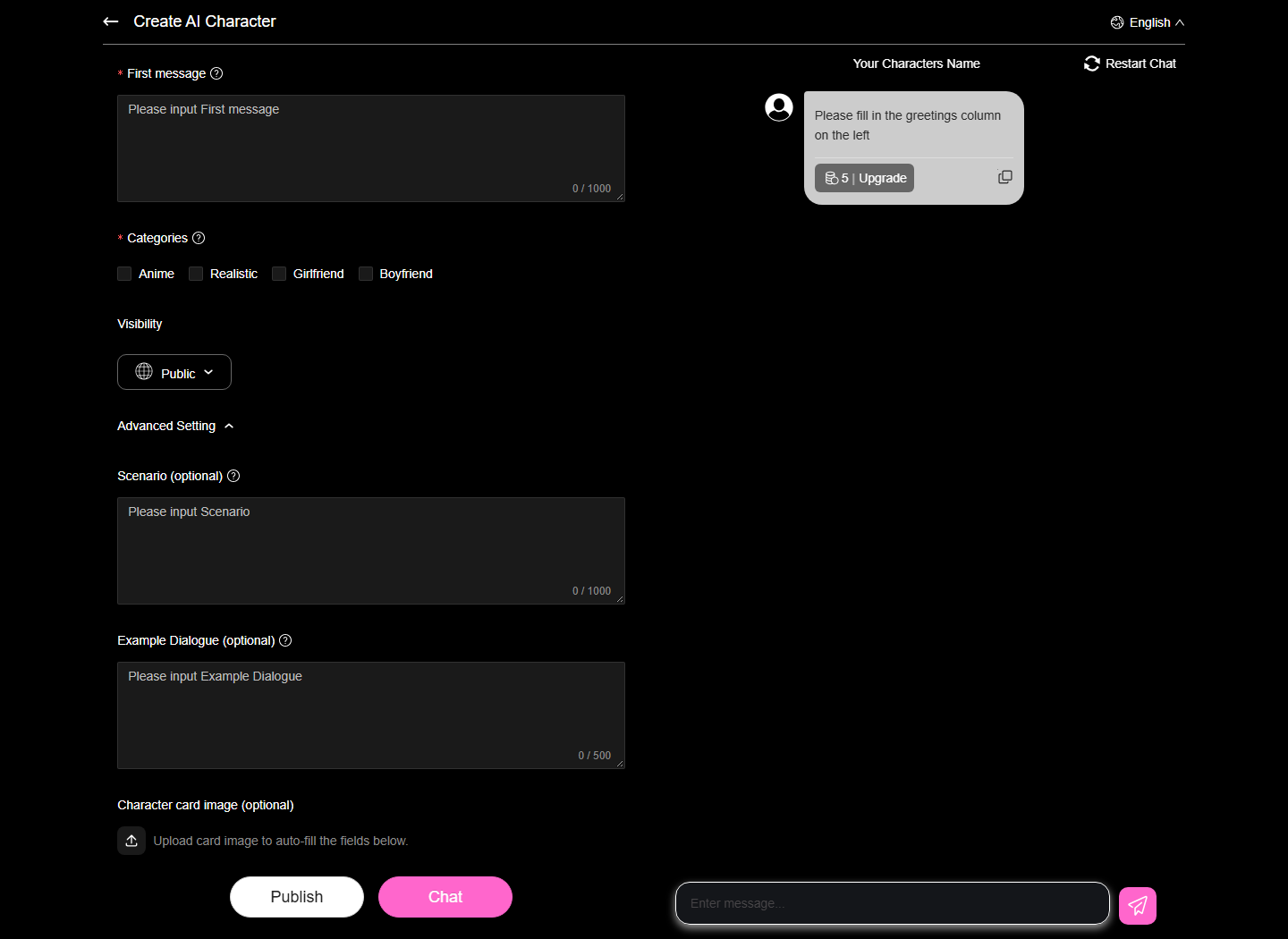
Opening Advanced Setting reveals optional Scenario and Example Dialogue fields. Their empty counters show 1,000 and 500 respectively. These controls were expanded and inspected without entering text, so their effect on generated conversation remains untested.

Two optional fields, two different drafting questions
FieldSuggested focusAvoid assuming
ScenarioWhere are the fictional adults, and what is happening now?That background instructions always override later replies.
Example DialogueHow does the character explain, disagree or ask a question?That a sample guarantees identical future phrasing.

Keep the scenario compatible with the opening. A quiet archive and a public auction create different pressures; mixing them accidentally makes the brief harder to follow. Let a dialogue sample demonstrate the persona rather than introduce another backstory.

Expanded Gening AI editor with empty Scenario and Example Dialogue fields and optional card image upload.
Gening AI advanced settings expose optional Scenario, Example Dialogue and character-card image controls; fields remain empty.Gening AI advanced settings expose optional Scenario, Example Dialogue and character-card image controls; fields remain empty. New expanded advanced controls, not the prior top-of-form capture.View official source · observed 2026-10-29

06 / VISIBILITY

Check Gening AI visibility before sharing a character

Gening AI sources: Official source Official source

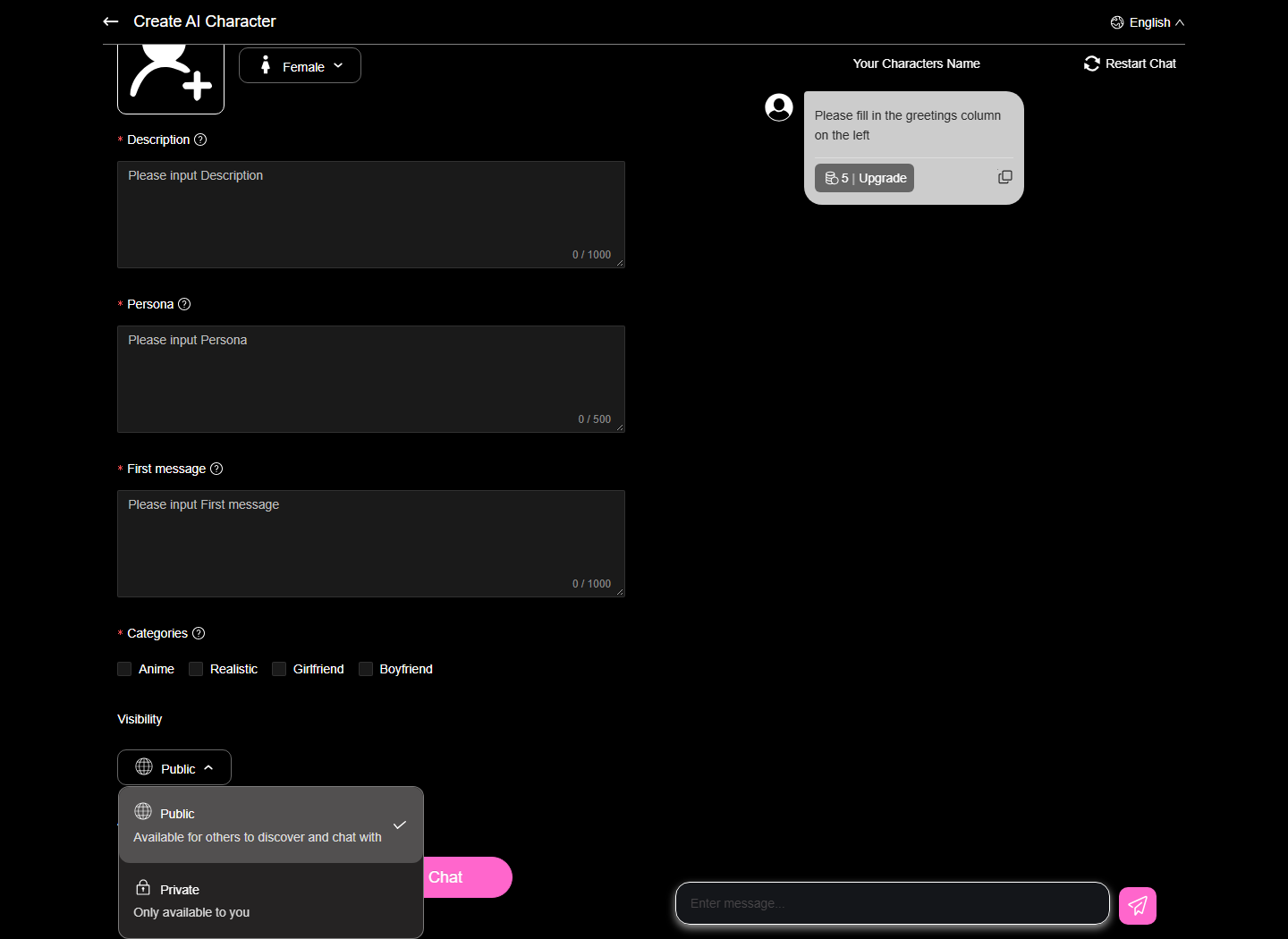
The open visibility menu describes Public as available for others to discover and chat with. It describes Private as only available to you. These are the publisher's interface descriptions; we did not publish a character or verify either access mode.

Private visibility should not be read as a promise about encryption, staff access or deletion. The privacy policy lists automatically collected technical and activity information, and says some information may remain in archived or backup copies.

  • Remove real addresses, contact details and identifying anecdotes from drafts.
  • Review the description and greeting as though another reader might see them.
  • Check the selected visibility again before any later decision to publish.
Gening AI visibility menu showing Public discovery and Private only-available-to-you descriptions.
Gening AI describes Public and Private visibility in the open menu; no character was published.Gening AI describes Public and Private visibility in the open menu; no character was published. New open visibility menu and its explanations, not a crop of the prior closed editor.View official source · observed 2026-10-29

07 / ARTWORK

Keep character artwork separate from image-tool claims

Advanced settings include an optional Character card image control. Its instruction says uploading a card image can auto-fill fields. We did not upload anything, so supported formats, extraction accuracy and the resulting field values are not verified.

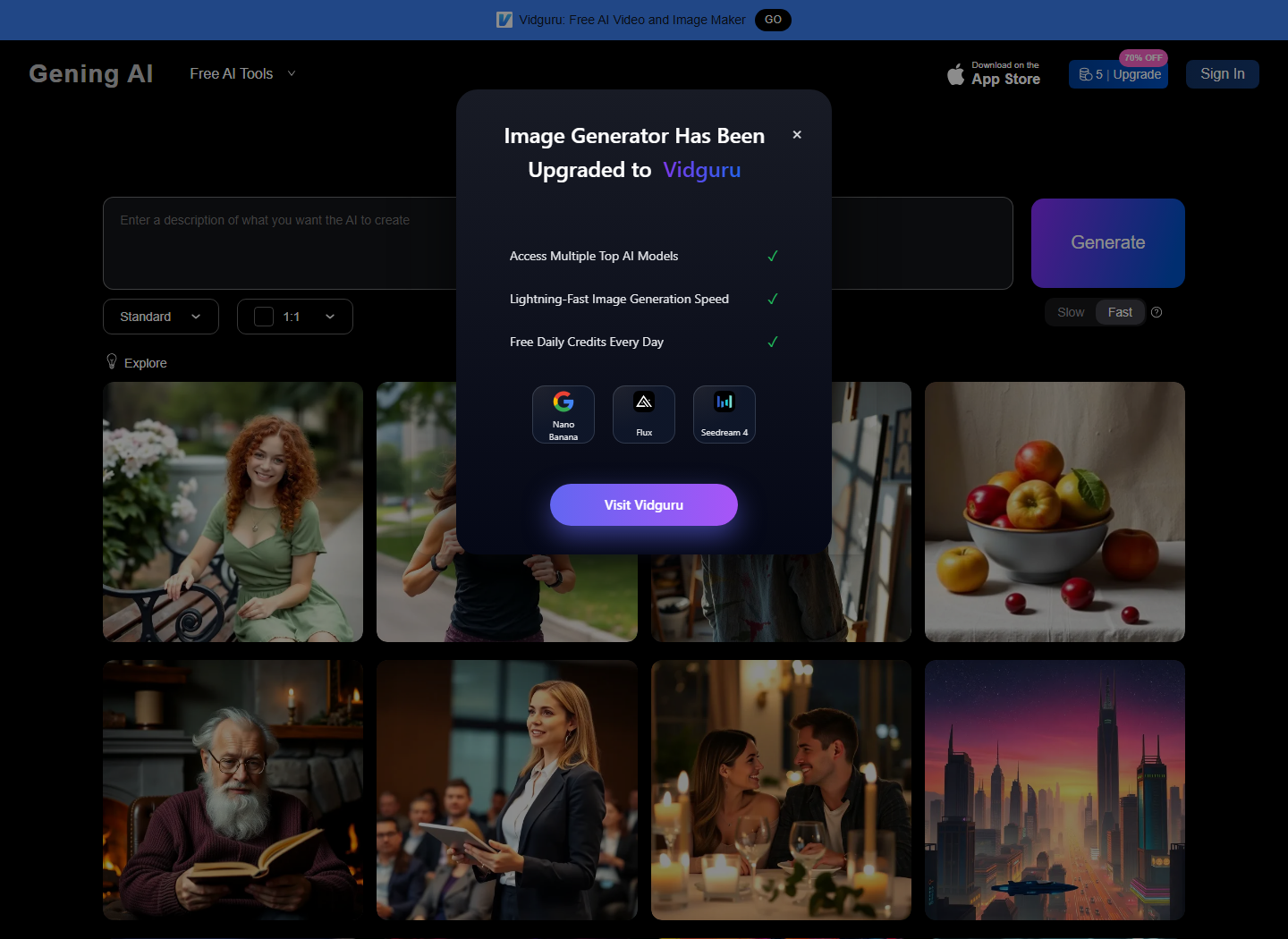
Separately, the public image-generator page displays a notice announcing an upgrade to Vidguru. That notice does not establish a current Gening image-generation workflow. We did not visit Vidguru or generate artwork, and older explanatory text should not be treated as a fresh demonstration.

Choose artwork you have permission to use. Gening's Terms restrict reproduction of site content except where permitted. A portrait can support your character's atmosphere without serving as evidence of identity, age or ownership.

Gening AI image-tool migration notice announcing an upgrade to Vidguru.
The image-tool page announces a move to Vidguru; the notice is not a tested image-generation result.The image-tool page announces a move to Vidguru; the notice is not a tested image-generation result. Distinct tool migration notice, neither search nor pricing nor empty creation top.View official source · observed 2026-10-29

08 / BEFORE PUBLISHING

Review the draft before using Publish or Chat

Gening AI sources: Official source Official source

Publish and Chat appear as separate editor controls. Neither was used during this inspection. Their presence does not verify anonymous access, successful saving, moderation outcomes or the credit cost of a subsequent action. Check the live requirements before proceeding.

  1. Read all fields together and remove contradictions between the persona, scenario and opening.
  2. Review the visible category choices: Anime, Realistic, Girlfriend and Boyfriend. A label is not a behavioral guarantee.
  3. Keep the character and participants clearly fictional adults, with a non-explicit premise.
  4. Check permissions, visibility and any account or payment prompt before submitting.

The Terms require individual account registrants to represent that they are at least eighteen and prohibit pornographic, obscene or sexually explicit material. Categories do not replace those rules.

09 / REVISION NOTES

Revise one character decision at a time

Gening AI sources: Official source

Save your own draft notes before making later changes. This is a writing practice, not a claim that Gening provides version history, export or automatic recovery. Record which field you changed and what you hoped the change would clarify.

If the character feels vague on paper, adjust a priority before adding more lore. If the opening feels closed, replace an assumed reaction with a genuine question. Keeping revisions small makes the brief easier to evaluate without claiming that any particular model response is guaranteed.

OurDream is a separate commercial alternative reached through this guide's affiliate buttons. The Gening editor, screenshots and source portraits do not promise matching characters or features there.

Source capture

Expanded Gening AI editor with empty Scenario and Example Dialogue fields and optional card image upload.